

How to use 10 personalized campaigns on the product page?
If you plan to show recommendations on the product page, test different options and then decide which ones actually work on your site. Remember that the product page is not the only place to display recommendations - you can also show them on the listing, in the cart, at checkout, on the home page, and in your on-site search.
Table of contents
- 01 How do "Recently viewed" boxes work?
- 02 How to set up "Similar products" recommendations?
- 03 When to use "Complete your set"?
- 04 How to show free shipping on the product page?
- 05 Why do customer reviews boost sales?
- 06 How to make use of limited availability?
- 07 How to present bestsellers on the product page?
- 08 When is it worth displaying "Recommended for you"?
- 09 How to present new arrivals effectively?
- 10 How to show sales contextually?
01 1. How do "Recently viewed" boxes work?
Displaying this recommendation makes it easy for the user to quickly return to products they browsed in your store, and it is especially helpful when your catalog is very large. Don't be afraid to repeat the "Recently viewed" box in several places, such as the home page, the listing, the product page, or the cart. Showing a "Recently viewed" recommendation box in multiple spots across your site lifts conversion.
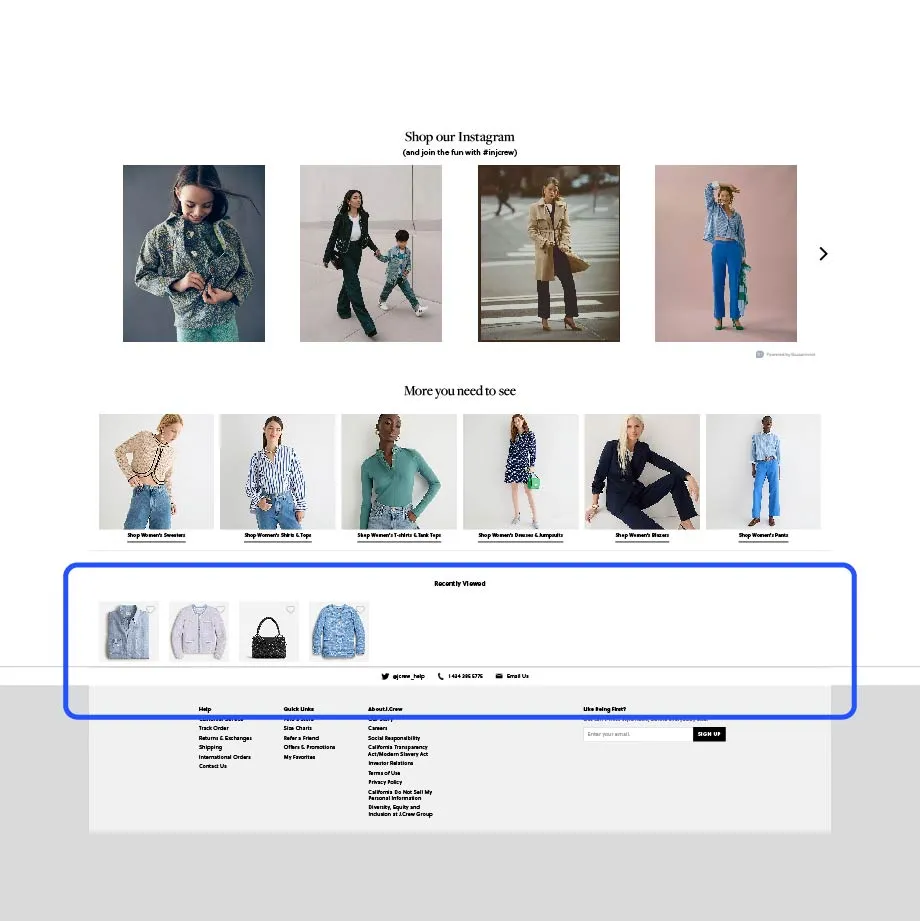
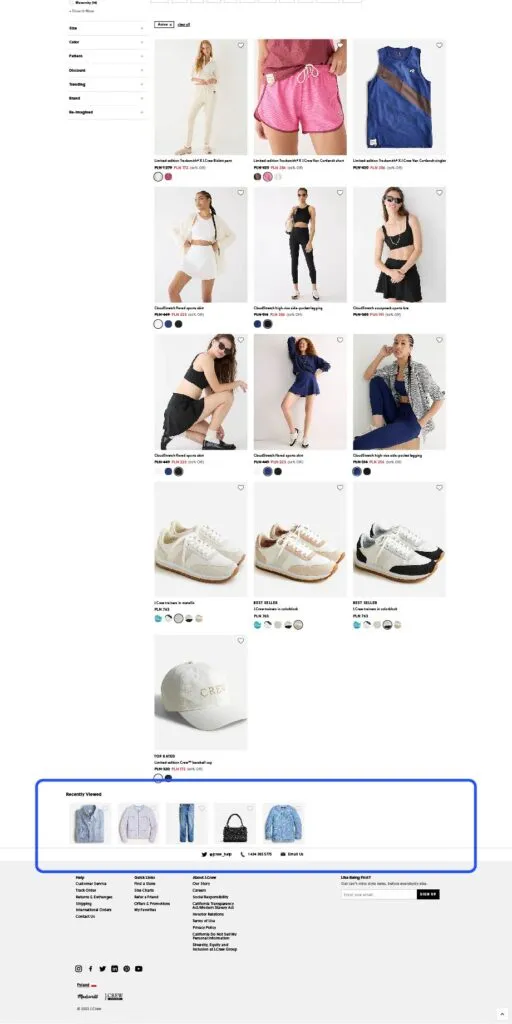
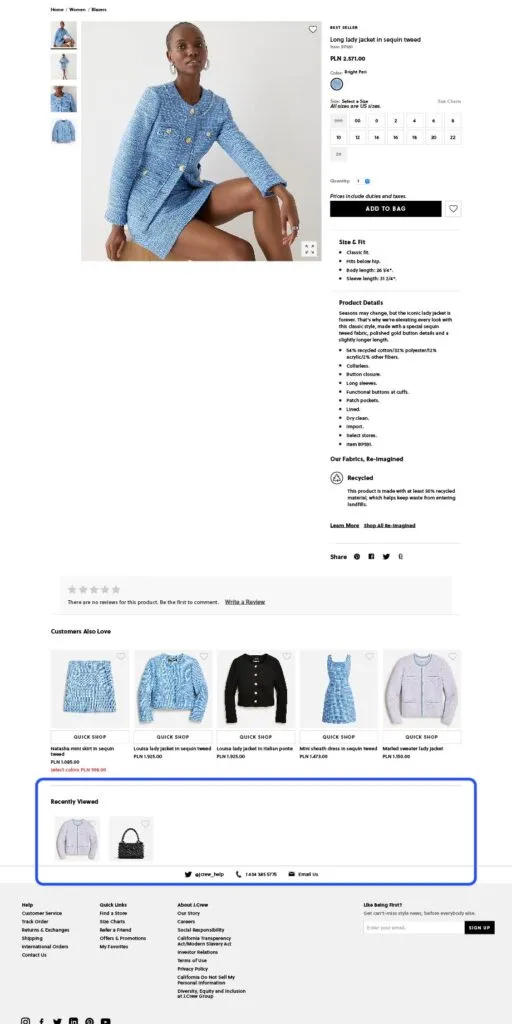
02 2. How to set up "Similar products" recommendations?
On the product page you can also display recommendations of similar products. Depending on the category the viewed product belongs to, you can define "similarity" in different ways. For example, in the apparel industry you can decide that a similar product is one that:
- Has the same cut (e.g., a slim-fit men's shirt, long sleeve, button-down collar).
- Shares a style, for example casual, formal, or wedding.
- Is made from the same fabric (e.g., 100% linen).
- Has the same or a similar color or pattern.
The key to success is a well-thought-out product page and the right description, which lets you automate the process of "calculating similarity."
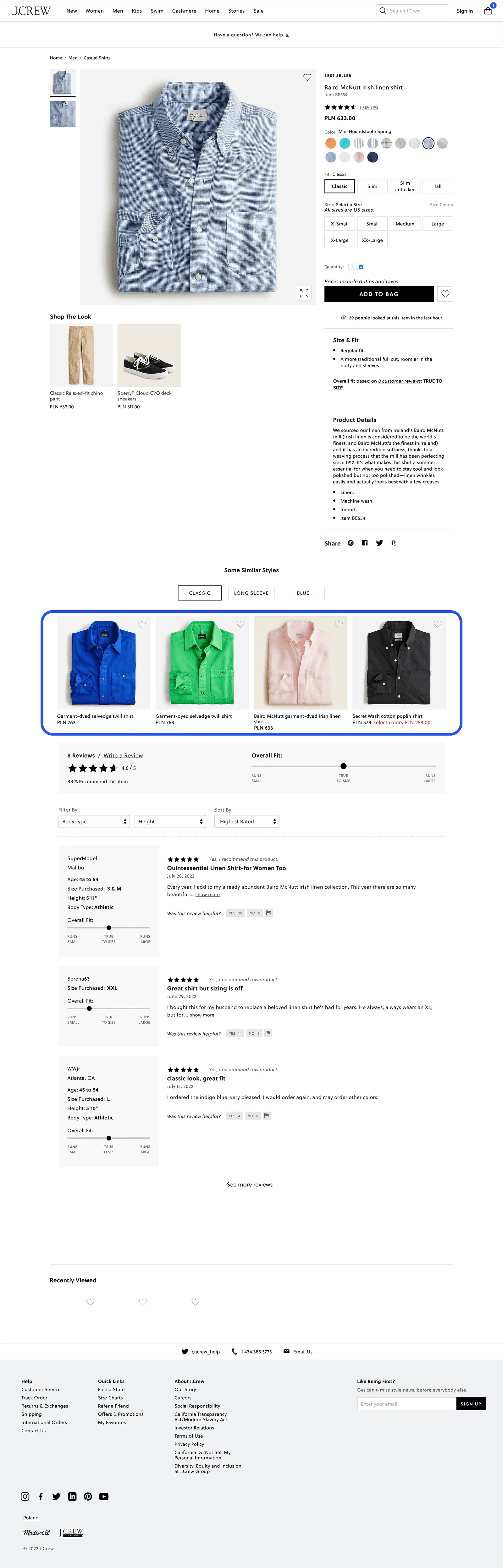
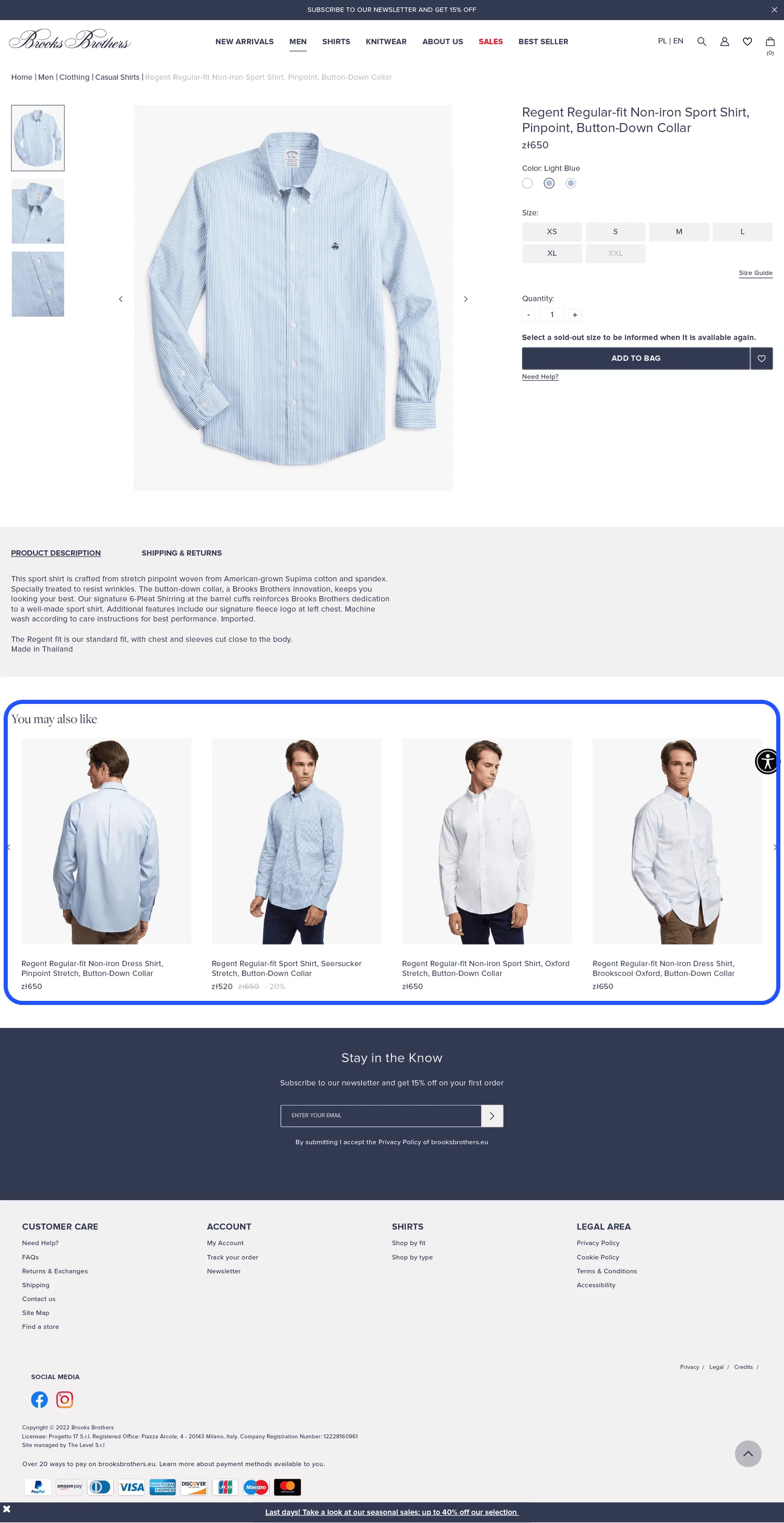
Take a look at another example, where similarity is based on style. Note that the recommendation box is not labeled "Similar products" but "You might also like." Don't be afraid to test different labels for this kind of recommendation box. The principle stays the same: define your similarity parameters as precisely as possible.
03 3. When to use "Complete your set"?
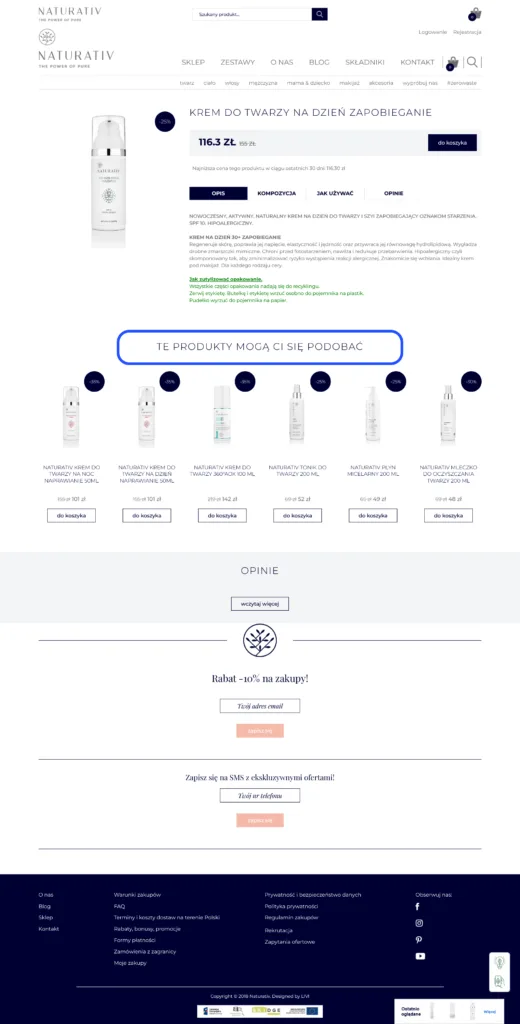
This is a popular type of recommendation box used on the product page, where you can present products that are complementary to the one being viewed. In the apparel industry, for instance, these are ready-made outfits made up of products from different categories in your store - for example a dress, shoes, a handbag, and jewelry ("Shop the look") - or simpler solutions from the same product category. For example, on a "Sports hoodie" product page you could display sweatpants in the same color but in different styles (shorts, long, straight, cuffed, leggings). In the cosmetics industry it might be sets of products for a specific purpose, such as a hair-conditioner set when the product page shows a shampoo. Remember that you don't always have to use the suggested naming. Test for yourself which recommendation box name best matches the content of the recommended products.
04 4. How to show free shipping on the product page?
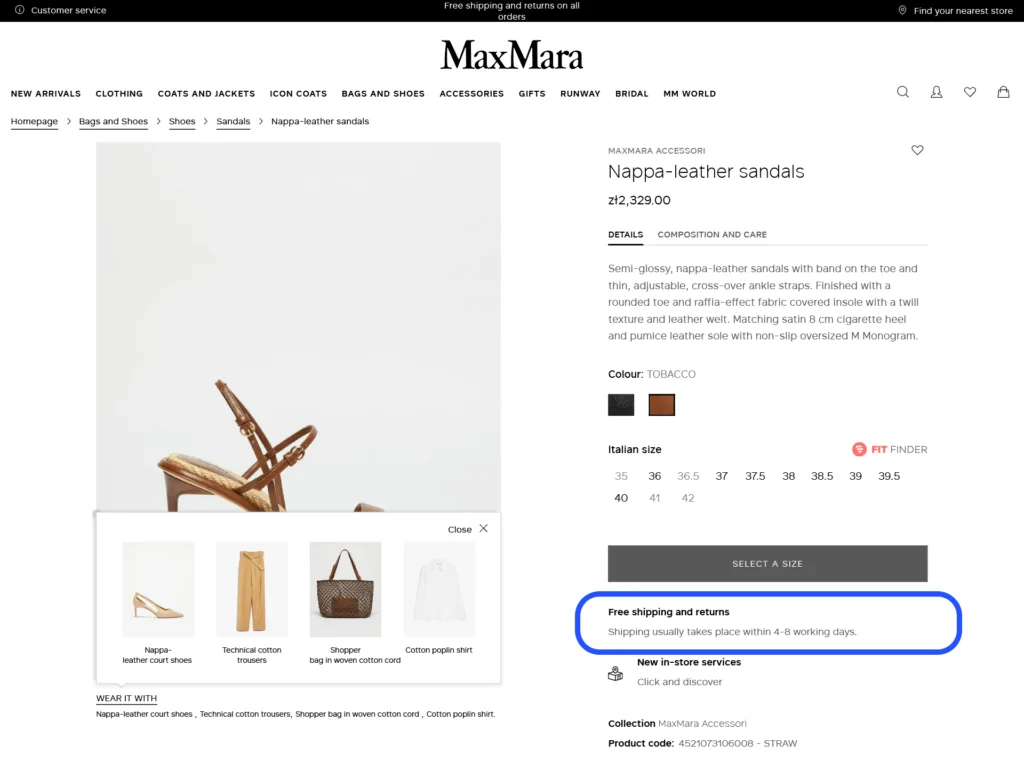
If free shipping is available, display it on the product page to attract more customers. Many online stores offer free shipping above a certain purchase threshold.
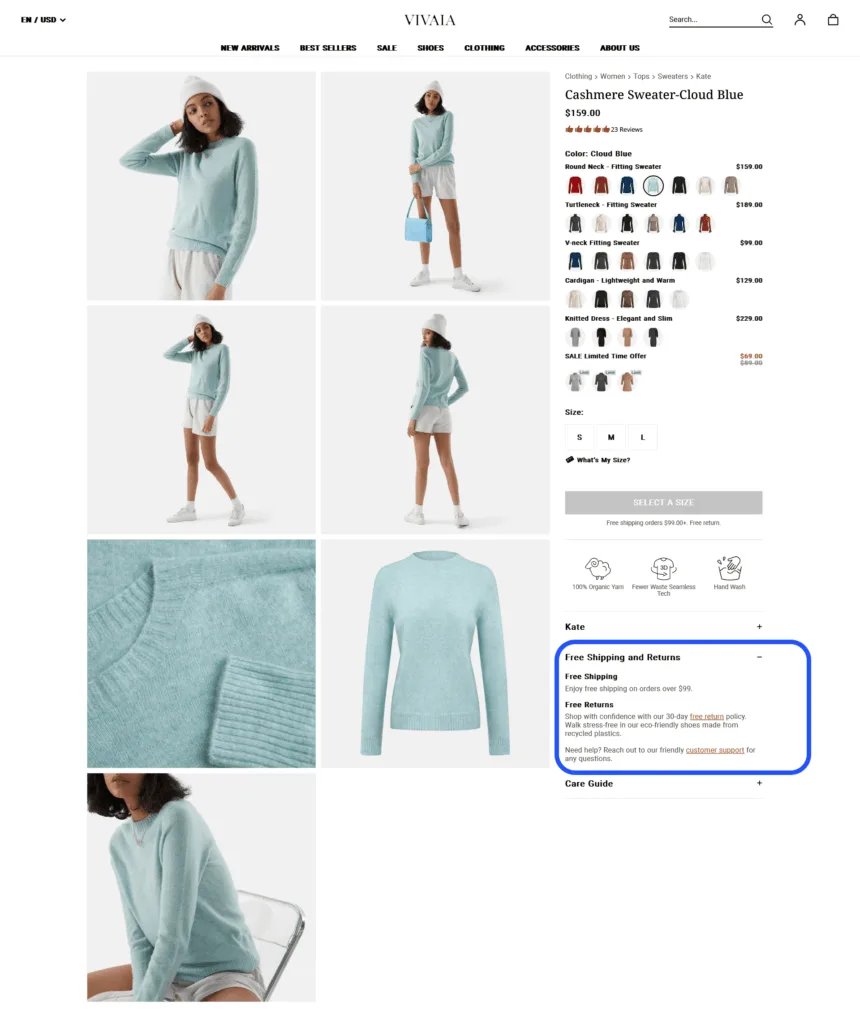
It is also worth placing information on the product page about the estimated shipping time and the return conditions.
05 5. Why do customer reviews boost sales?
You should take care of the quality of the product reviews you collect. Remember that industries such as children's products, cosmetics, and electronics are especially sensitive to reviews, and it is often reviews that make or break a product's sales. Below you'll find different examples of how to present reviews on the product page.
Check how many product reviews you have. If there are enough of them (a series of reviews confirms their credibility and at the same time shows that the product sells well), it is worth displaying the number of reviews left.
Many online stores ignore this aspect - reviews - assuming they will be partly negative, and so they don't offer the option to review products at all. It is worth seeing reviews as an opportunity for your online store and looking at how the best and the not-so-good players do it. In the first example shown ("Best in class") you can see that everything is thought through and every aspect is carefully planned. Nothing here is accidental:
- stating the specific number of product reviews from the product page, user details, and the dates the reviews were left;
- marking users as verified;
- offering the option to flag whether a review is helpful;
- enabling reviews to be shared to social media;
- the ability to leave a review.
See how much you can achieve if you truly commit to managing your users' reviews:
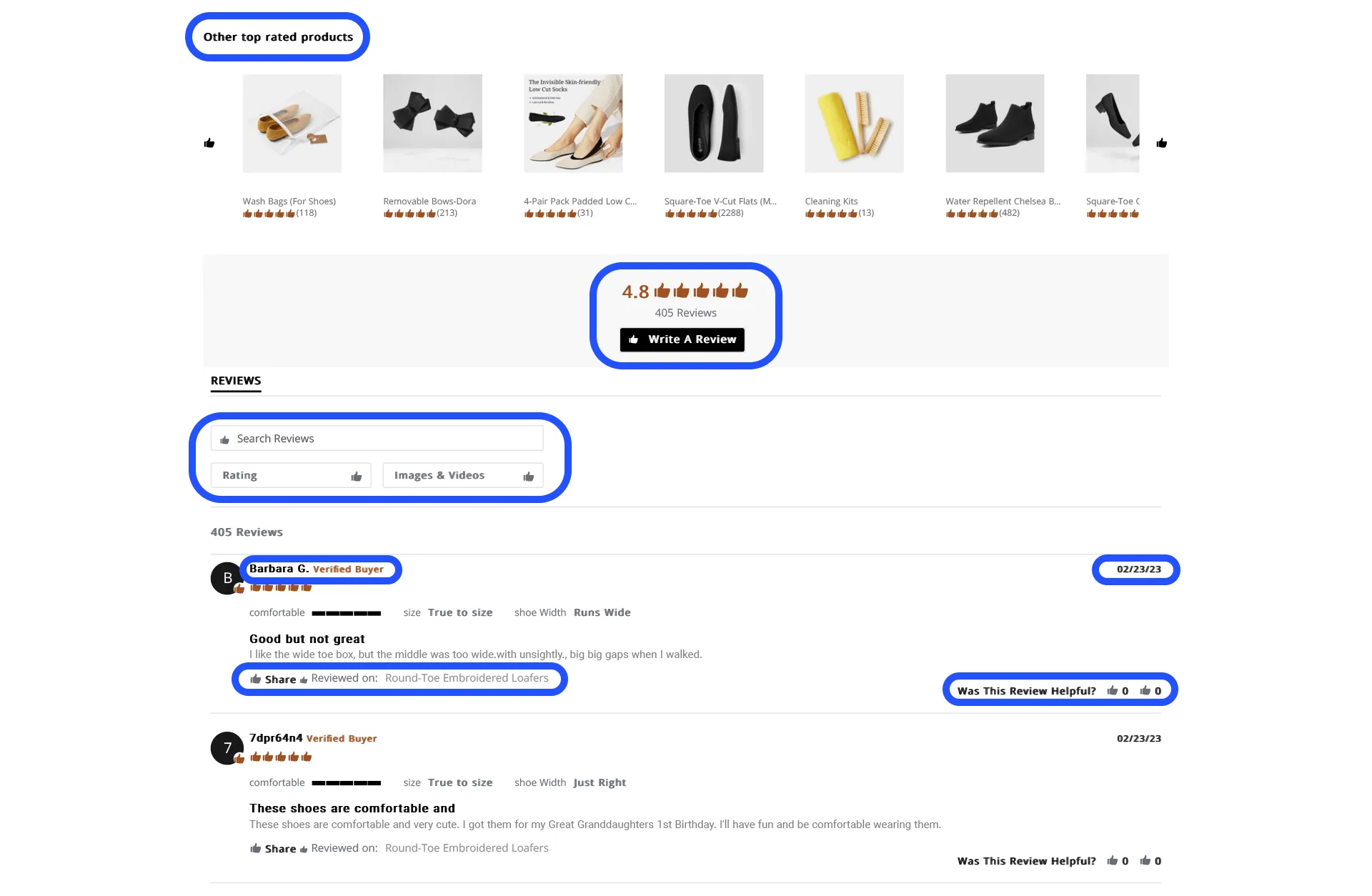
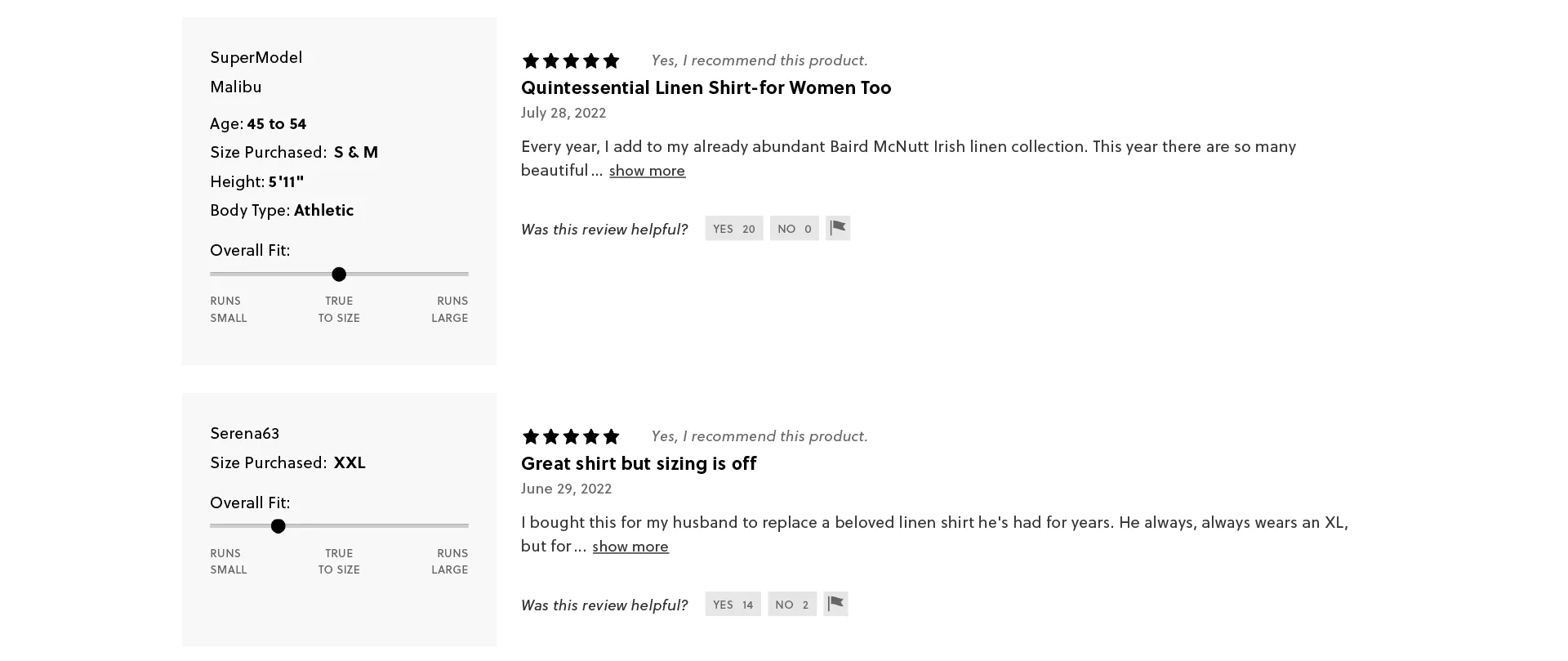
Take a look at an interesting review example concerning how well a purchased product matched the buyer's expectations. For apparel or footwear purchases, it is very important whether a product matches the order in terms of size.
Browse these sample reviews about size fit and the customer's body type:
Now look at another example of presenting reviews on a product page in a cosmetics store, and compare how these two approaches differ. Because we are showing a poor example of review management, we are not naming this store.
- First, the way the reviews are presented scales badly on screen (it gives the impression that the designer didn't put in the effort);
- Second, the most recent review is from 10 months ago, which may suggest the product isn't selling;
- Third, a negative review is displayed in the first position;
- Fourth, there is nothing here to engage the user into taking any action.
06 6. How to make use of limited availability?
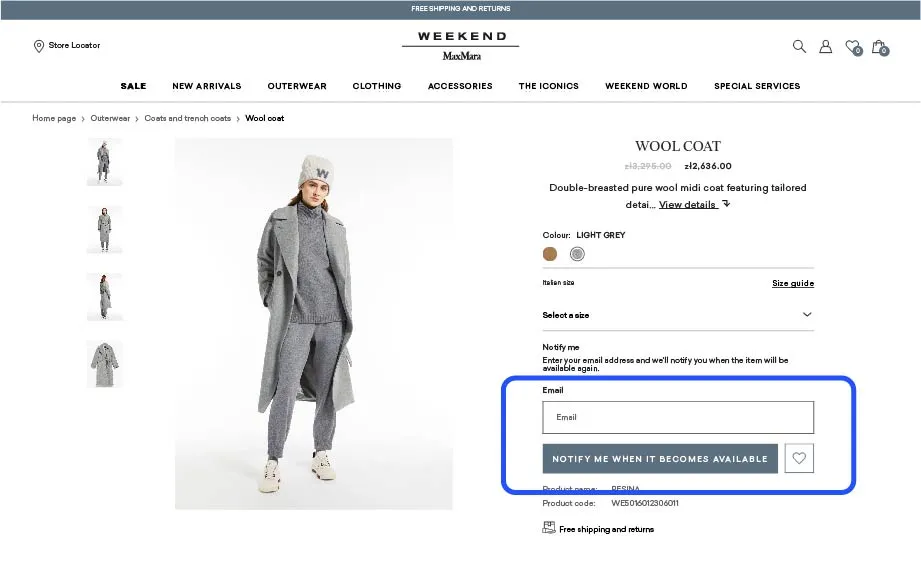
In the apparel industry, a good solution is to show availability for a given size or color (if the product also comes in other colors). It is also worth including the option to sign up for a notification when the product is back in stock.
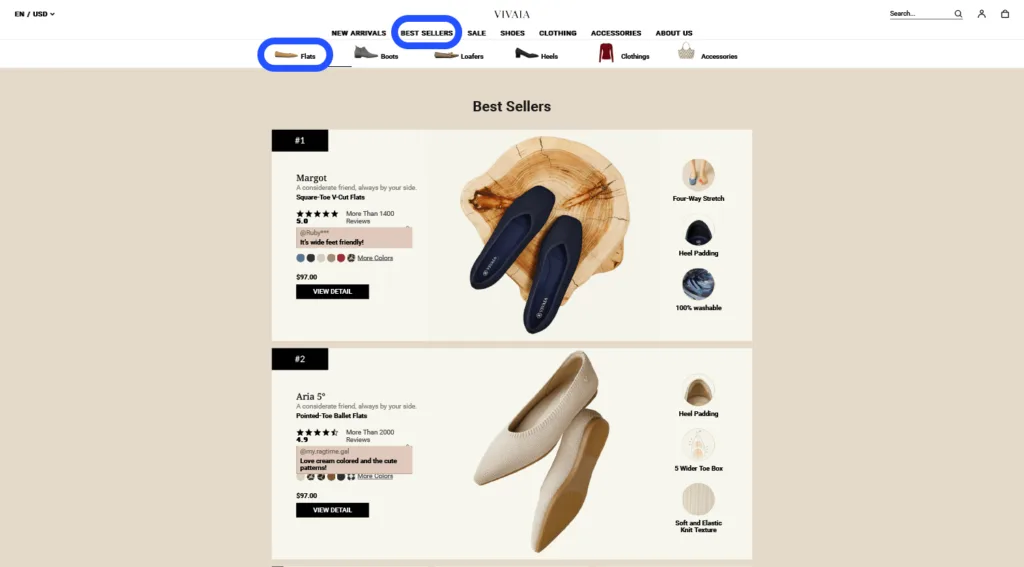
07 7. How to present bestsellers on the product page?
Let customers know about your best-selling products. In many online stores you'll find a separate "Most popular" or "Bestsellers" category. You can place "Bestseller" as a separate category in the menu with its own dedicated listing, or as a recommendation box on the product page.
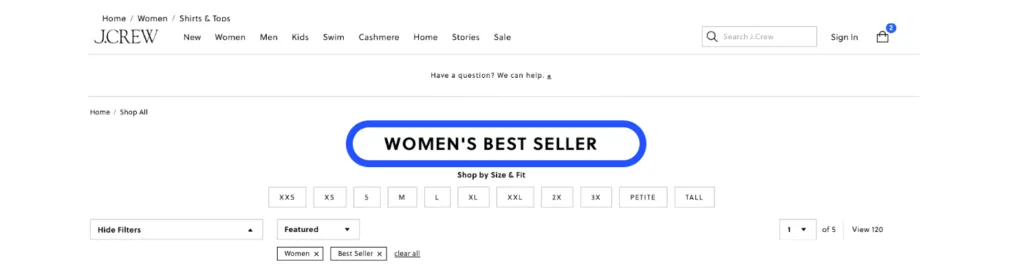
This way of presenting bestsellers may also inspire you.
If you create a separate "Bestseller" category in the main menu, you can place the product categories below it and dynamically present bestsellers within each category. You don't have to limit yourself only to static or dynamic recommendation boxes on the product page. You have many more interesting ways to present your best-selling items.
08 8. When is it worth displaying "Recommended for you"?
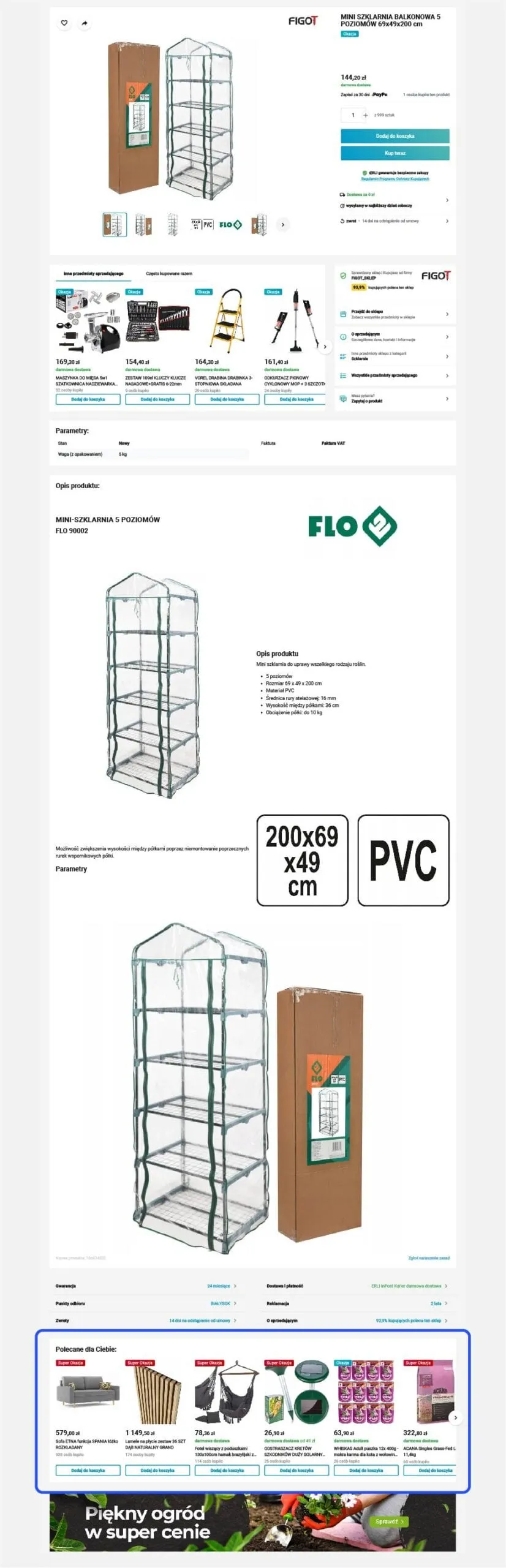
Remember that recommendations built this way are accurate only when you have a long enough history of a user's browsing and purchases in your store. The higher the purchase frequency, the more precisely you can determine which product a customer is likely to enjoy. It often happens that online stores define their recommendation tactics in a fairly random way. We can point to many very poor examples of such boxes, like the one below:
09 9. How to present new arrivals effectively?
Display new products that have appeared in your online store. Use new-arrival recommendations on the product page in a thoughtful way. If a user is viewing a product from a given category, show them new arrivals in that category, not a randomly selected assortment of your store's new products.
10 10. How to show sales contextually?
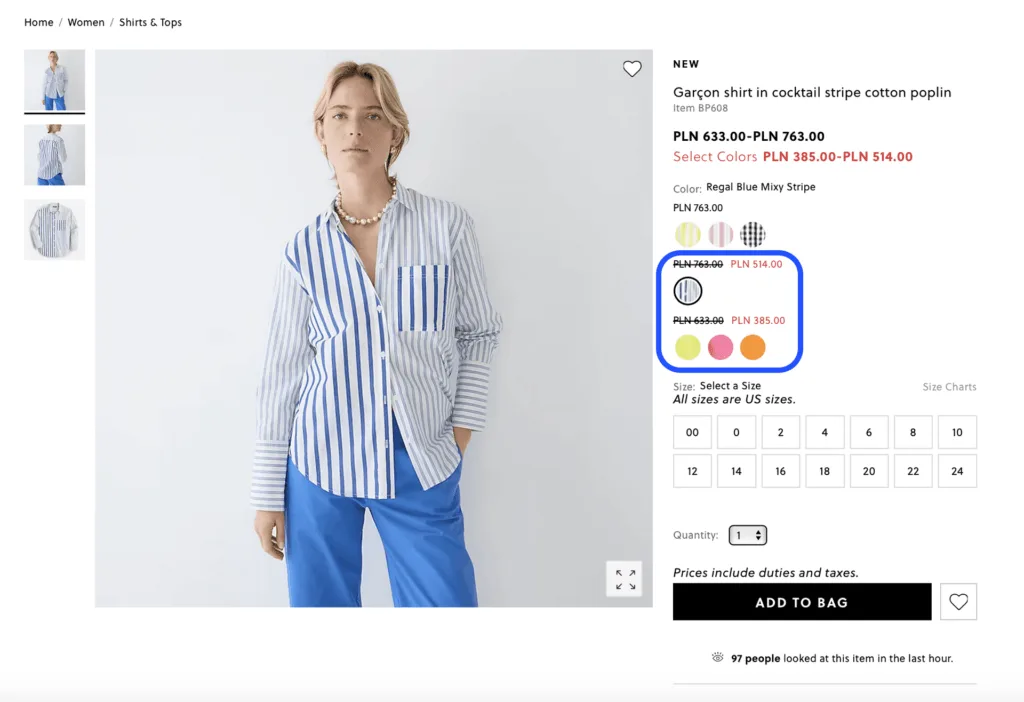
As with new arrivals, make sure the sale products you present are contextual to the item on the product page. It could be the very same product from the page but in a different color that is currently marked down.
11 Summary
The product page is one of the most important places in your store - this is where the customer makes the purchase decision. Well-chosen personalization campaigns can significantly lift conversion: "Recently viewed" and "Similar products" boxes shorten the path back to a product, reviews build trust, and information about free shipping or limited availability can be the decisive nudge toward a purchase.
You don't have to roll out all 10 campaigns at once. Start with 2-3, test the results, and scale whatever works on your site.