

A customer added products to their cart but closed the page without buying - it's one of the most common and most frustrating situations in e-commerce. The good news is that this customer was already genuinely close to a decision, so the right reminder can recover a significant share of those sales.
Table of contents
- 01 What is an abandoned cart in an online store?
- 02 Abandoned carts in e-commerce - how to recover them?
- 03 How does standard abandoned cart automation work?
- 04 What is the fast abandoned cart scenario?
- 05 How to use a pop-up for an abandoned cart?
- 06 Summary
01 What is an abandoned cart in an online store?
An abandoned cart is a term used in e-commerce that refers to a situation where a customer adds products to a virtual cart on a store's website but ultimately doesn't complete the purchase transaction. For various reasons - such as a complicated checkout process, hidden costs, long delivery times or a lack of preferred payment methods - customers may decide to leave the site without finalizing the purchase.
02 Abandoned carts in e-commerce - how to recover them?
The goal of abandoned cart automation is to encourage the user to complete their purchase, improve the customer experience and increase an online store's conversion.
According to market research and Persooa's own experience, the average cart abandonment rate in e-commerce is over 70%. This means that one in three customers gives up on their purchase after adding products to the cart. With abandoned cart automation, you can recover anywhere from 5% to 30% of those purchases.
03 How does standard abandoned cart automation work?
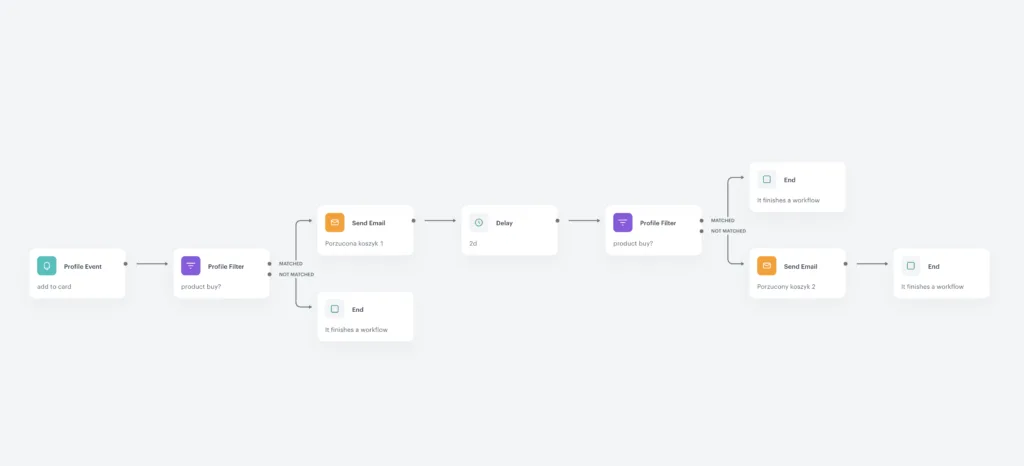
At this stage of the funnel, we have users who added a product to their cart and filled in their details but didn't finalize the purchase and ended their session. The customer is encouraged to complete the transaction through an email showing the cart's contents, followed by a reminder two days later - for example, with an additional discount.
04 What is the fast abandoned cart scenario?
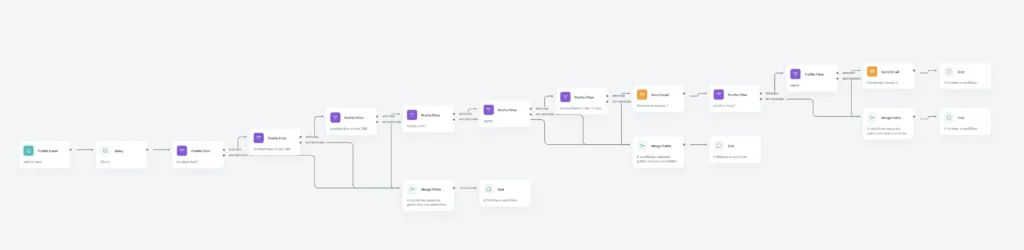
This scenario works much like the previous one, only considerably faster. It's triggered shortly after the user abandons the cart and uses additional channels and recommendation mechanisms in the follow-up messages - for example, similar products / discounted products in a given category, and so on.
05 How to use a pop-up for an abandoned cart?
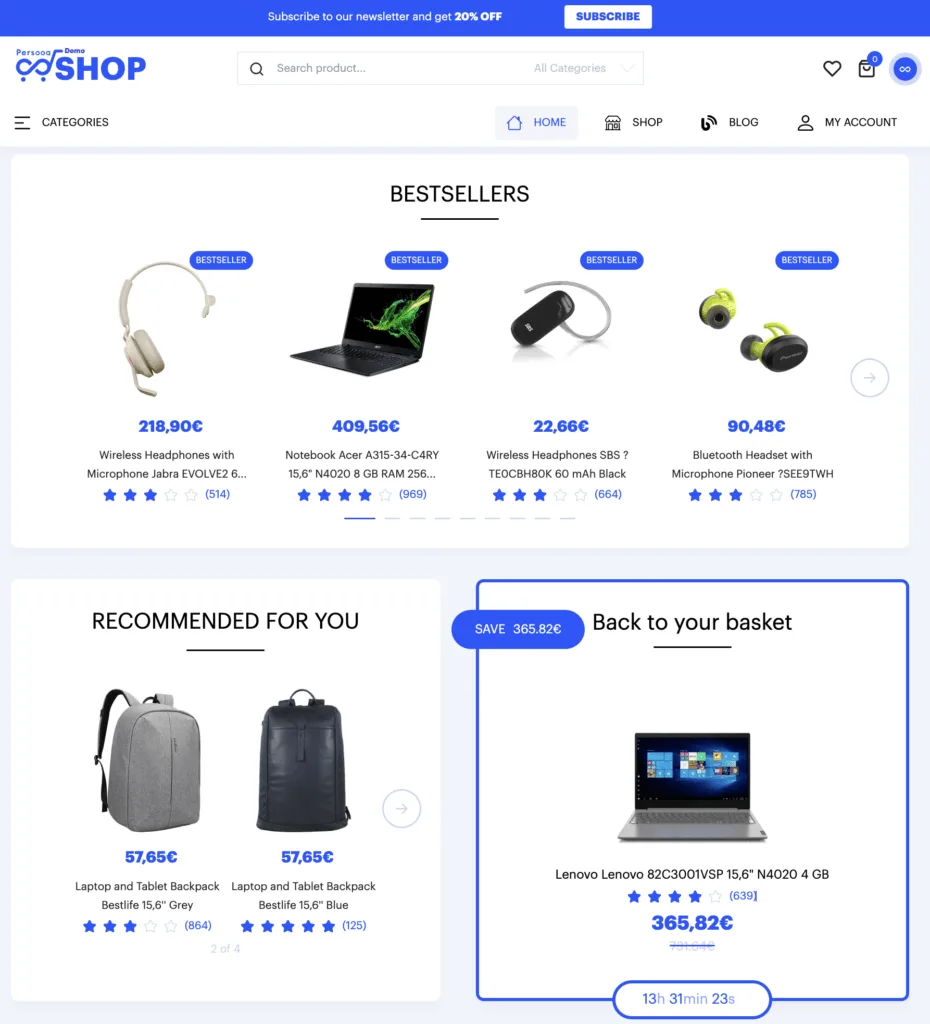
A dynamic pop-up or content placed in a dedicated spot on the site or in the mobile app appears to users who have left their cart. The pop-up can include various types of information, such as:
- a reminder about the products in the cart;
- a special offer or discount on the products in the cart;
- a link to the cart page so the user can quickly return to it and make the purchase.
In cases where users don't move on to the second stage of the checkout process - leaving no personal data (such as an email address or phone number) and not being recognized by us during the session as existing users in our CRM - we can extend the abandoned cart scenario via web push or by adding the user to a segment in a display campaign.
06 Summary
An abandoned cart is the point in the entire buying journey closest to completion - which is why recovering it is one of the most cost-effective automations in e-commerce. Combine channels (email, pop-up, web push, display), match the pace of the scenario to the customer's behavior, and support your reminders with recommendations and a sensibly dosed discount. Recovering even a few percent of abandoned carts translates into real revenue.